Managed IT Onboarding Checklist: What Happens in the First 90 Days
Switching IT providers can feel like a risk, especially when your team relies on email, cloud apps, devices, security tools and support every day. A good managed IT onboarding checklist removes the guesswork. It shows what happens, when it happens, and how your business moves from “hoping things work” to having a clear, supported IT setup.
For businesses comparing best it support in Brisbane, the first 90 days should feel structured, not rushed.
Start with Discovery
The first stage is about learning what your business actually uses. Your provider should not make assumptions from a sales call alone.
| Area reviewed | What should be checked |
|---|---|
| Users | Staff, roles, permissions and access needs |
| Devices | Laptops, desktops, mobiles, printers and shared hardware |
| Cloud tools | Microsoft 365, Google Workspace, line-of-business apps |
| Security | Antivirus, MFA, backups, firewalls and password practices |
| Support history | Recurring issues, outages and slow systems |
This stage helps identify quick wins and hidden risks. For example, many small businesses discover old staff accounts are still active or backups have not been tested for months.
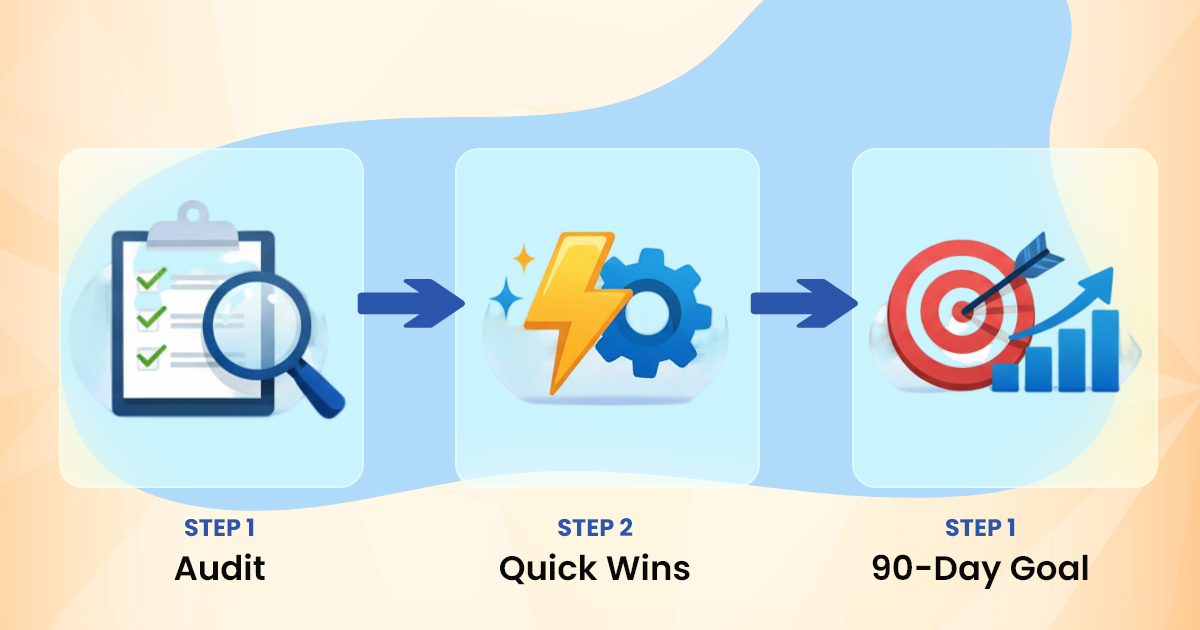
Days 1 To 30: Stabilise The Basics
The first month should focus on visibility, access and immediate risk reduction. Your IT partner will usually document the environment, confirm admin access and begin monitoring key systems.
A strong provider of managed it services in Brisbane will typically cover:
- Setting up secure support access
- Reviewing user accounts and permissions
- Checking backup status and recovery points
- Confirming antivirus and endpoint protection
- Reviewing Microsoft 365 or Google Workspace settings
- Creating an escalation process for urgent issues
This is also when staff should learn how to request help. A simple support process matters. People should know whether to call, email or lodge a ticket, and what counts as urgent.
Days 31 To 60: Clean Up and Improve
By the second month, the focus moves from “what is broken?” to “what can work better?” This is where many businesses start to notice smoother support.
Your provider may remove unused software, tighten security settings, update devices and standardise user setups. If your team has been dealing with patchy Wi-Fi, slow logins or confusing file storage, this is the right time to fix the root cause rather than patch the symptom.
For companies searching for it services in Brisbane, this middle phase is often where value becomes clear. The provider is no longer learning the environment from scratch. They can start making sensible recommendations based on real usage.
Days 61 To 90: Plan Ahead
The final stage of onboarding should turn your IT setup into a plan. This is where your provider shares findings, priorities and a roadmap.
| Priority | Why it matters |
|---|---|
| Cyber security gaps | Reduces the chance of account takeover or data loss |
| Backup testing | Confirms files can actually be restored |
| Device lifecycle | Helps budget for replacements before failures happen |
| Licence review | Stops paying for unused tools |
| Support reporting | Shows patterns, response times and recurring problems |
Good it help in Brisbane should not leave you guessing. By day 90, you should know what has been fixed, what still needs attention and what should be budgeted for next.
What A Smooth Handover Feels Like
A well-run onboarding does not bury your team in jargon. It gives staff a clearer way to get help, gives owners better visibility, and gives managers fewer IT surprises.
Signs the process is working include:
- Staff know where to get support
- Admin access is controlled and documented
- Backups are checked, not assumed
- Devices are monitored and patched
- Security risks are explained in plain English
- You receive practical next steps, not vague reports
Businesses often search for small business it services near me when something has already gone wrong. The better time to act is before downtime, lost files or security issues force the decision.
Choosing the Right Provider
The right IT partner should ask good questions, explain trade-offs clearly and avoid locking you into tools you do not need. The first 90 days are a useful test. If onboarding feels organised, transparent and practical, ongoing support is more likely to be reliable too.
Managed IT onboarding is not just a technical handover. It is the foundation for safer systems, quicker support and better planning. When done properly, your business gains more than a helpdesk. It gains an IT partner that understands how your team works.